
Managing a team’s tasks, files, and communication can be a challenge. Edworking offers a solution by combining all these elements into one platform.
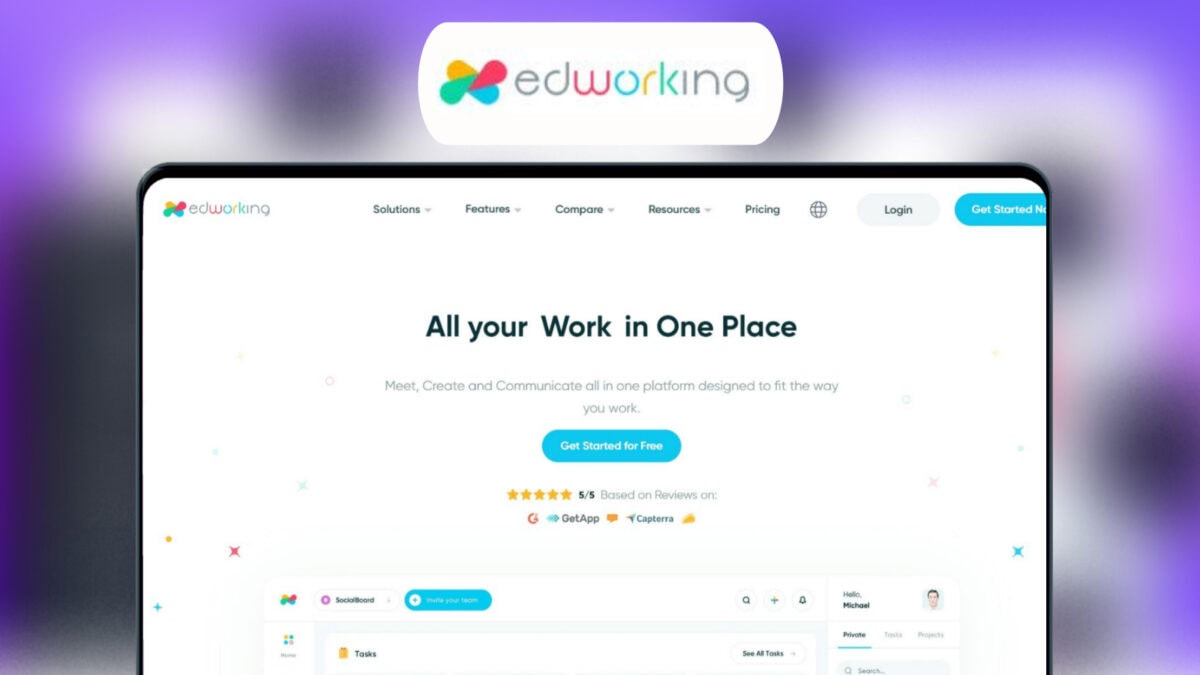
Edworking is a project management tool that integrates tasks, video calls, chats, and file management. This tool boosts productivity and simplifies workflow for teams. With features like customizable Kanban boards, real-time notifications, and task prioritization, it makes managing tasks easy. Communication is seamless with group and private chats, file sharing, and HD video calls. It also offers integrations with G-Suite, Google Calendar, and Zapier. Whether you need to track real-time progress or customize workflows, Edworking has you covered. Check out the Edworking Lifetime Deal for more details.

Credit: www.grabltd.com
Introduction To Edworking Lifetime Deal
Are you tired of juggling multiple apps to manage your projects? The Edworking Lifetime Deal might be the solution you need. Edworking offers a comprehensive platform designed to streamline your team’s workflow by integrating tasks, video calls, chats, and file management into one place. Let’s dive into what makes this deal special.
Overview Of Edworking
Edworking is a project management tool that helps teams collaborate more effectively. It combines task management, communication, and productivity tools into a single platform. Here are some key features:
- Task Management: Customizable Kanban board, real-time notifications, task prioritization, and deadline tracking.
- Communication: Group and private chats, file sharing, and HD video calls within the platform.
- Productivity Tools: Customizable workflows, real-time task progress tracking, and instant notifications.
- Integrations: API, G-Suite, Google Calendar, Pabbly Connect, and Zapier.
- Compliance and Technology: GDPR-compliant and AI capabilities.
Purpose Of The Lifetime Deal
The Edworking Lifetime Deal is designed to offer long-term value at a one-time cost. Here are the available plans:
| Plan | Price | Details |
|---|---|---|
| Plan 1 | $69 | 1 workspace, 5 member accounts, unlimited tasks and subtasks, unlimited storage (1GB per file), unlimited video calls, unlimited spaces, unlimited docs, iOS and Android app. |
| Plan 2 | $138 | 1 workspace, 15 member accounts, unlimited tasks and subtasks, unlimited storage (1GB per file), unlimited video calls, unlimited spaces, unlimited docs, iOS and Android app. |
| Plan 3 | $207 | 1 workspace, 25 member accounts, unlimited tasks and subtasks, unlimited storage (1GB per file), unlimited video calls, unlimited spaces, unlimited docs, iOS and Android app. |
Besides the cost savings, the deal also includes a 60-day money-back guarantee. This allows users to try Edworking risk-free and decide if it suits their needs.
Credit: lifetimo.com
Key Features Of Edworking
Edworking is a comprehensive project management tool designed to streamline team collaboration. It integrates tasks, video calls, chats, and file management into a single platform. Below are the key features that make Edworking essential for enhancing productivity and simplifying workflow.
Collaborative Workspace
Edworking provides a collaborative workspace where teams can work together seamlessly. You can manage all your tasks, files, video calls, chats, docs, and stories in one place. This centralized approach helps in reducing the need to switch between multiple apps, thereby saving time and effort.
Task Management Tools
With Edworking’s task management features, you get a customizable Kanban board. You can prioritize tasks, set deadlines, and receive real-time notifications. This helps in keeping all team members on the same page and ensures that tasks are completed on time.
Time Tracking And Reporting
Edworking includes time tracking and reporting tools that keep teams on track with real-time updates. The instant notifications and progress tracking features provide clear insights into the status of tasks and projects. This ensures that everyone is aware of their responsibilities and deadlines.
Cloud Storage Integration
Edworking integrates with various cloud storage services like G-Suite and Google Calendar. This integration allows for easy file sharing and management within the platform. You can store unlimited files (1GB per file) and access them anytime, ensuring that important documents are always within reach.
Communication Channels
Effective communication is key to successful project management. Edworking offers robust communication channels including group and private chats, HD video calls, and file sharing. This makes it easy for team members to communicate and collaborate in real time, enhancing overall productivity and teamwork.
| Plan | Price | Features |
|---|---|---|
| Plan 1 | $69 | 1 workspace, 5 member accounts, unlimited tasks and subtasks, unlimited storage (1GB per file), unlimited video calls, unlimited spaces, unlimited docs, iOS and Android app |
| Plan 2 | $138 | 1 workspace, 15 member accounts, unlimited tasks and subtasks, unlimited storage (1GB per file), unlimited video calls, unlimited spaces, unlimited docs, iOS and Android app |
| Plan 3 | $207 | 1 workspace, 25 member accounts, unlimited tasks and subtasks, unlimited storage (1GB per file), unlimited video calls, unlimited spaces, unlimited docs, iOS and Android app |
Unique Benefits Of Edworking
Edworking offers a comprehensive platform designed to streamline team collaboration. By integrating tasks, video calls, chats, and file management into one place, it enhances productivity and simplifies workflows. Here are some unique benefits that make Edworking stand out:
Enhanced Team Collaboration
Edworking facilitates seamless team communication through group and private chats. It supports file sharing and HD video calls within the platform. This centralized approach ensures that team members can easily collaborate without switching between different apps.
Streamlined Task Management
The task management feature in Edworking includes a customizable Kanban board. Teams can prioritize tasks, set deadlines, and receive real-time notifications. This ensures that all team members are aware of their responsibilities and deadlines, making project management more efficient.
Improved Time Efficiency
Edworking’s productivity tools help teams save time. Customizable workflows and real-time task progress tracking keep everyone on the same page. Instant notifications ensure that important updates are not missed, further improving time efficiency.
Centralized File Access
With Edworking, all files are centralized in one platform. This eliminates the need to search through various applications to find necessary documents. Team members can quickly access and share files, which streamlines the workflow and boosts productivity.
Seamless Communication
Edworking supports seamless communication through integrated tools. Group chats, private messages, and HD video calls are all available within the platform. This ensures that teams can communicate effectively, whether they are working remotely or in the same office.
Here’s a quick overview of Edworking’s main features and benefits:
| Feature | Details |
|---|---|
| Task Management | Customizable Kanban board, real-time notifications, task prioritization, deadline tracking |
| Communication | Group and private chats, file sharing, HD video calls |
| Productivity Tools | Customizable workflows, real-time task progress tracking, instant notifications |
| Integrations | API, G-Suite, Google Calendar, Pabbly Connect, Zapier |
| Compliance and Technology | GDPR-compliant, AI capabilities |
Edworking is available through three pricing plans, each offering lifetime access, unlimited tasks, video calls, storage, and more. Plus, with a 60-day money-back guarantee, you can try Edworking risk-free.
Pricing And Affordability
Edworking offers a cost-effective solution for teams seeking a comprehensive project management tool. It combines all essential features such as tasks, video calls, chats, and file management. Let’s dive into the pricing details and see how it compares with other models.
One-time Payment Option
Edworking provides three different plans with a one-time payment option:
| Plan | Price | Features |
|---|---|---|
| Plan 1 | $69 |
|
| Plan 2 | $138 |
|
| Plan 3 | $207 |
|
Comparison With Subscription Models
Subscription models typically require monthly or annual payments. Over time, these costs can add up. With Edworking’s one-time payment, you avoid recurring fees. This can be particularly advantageous for small teams or startups working with limited budgets.
Consider the following comparison:
| Feature | Edworking One-Time Payment | Typical Subscription Model |
|---|---|---|
| Payment Structure | One-time | Monthly/Annual |
| Long-Term Cost | $69 – $207 | $10 – $30/month per user |
| Access Duration | Lifetime | As long as subscribed |
Long-term Savings
By choosing Edworking’s lifetime deal, you can achieve significant long-term savings. Here’s how:
- Eliminate Recurring Payments: Pay once and use the platform forever.
- Predictable Costs: No unexpected price hikes or subscription renewals.
- Value for Money: Full access to all features without additional costs.
In summary, Edworking’s pricing model ensures affordability and long-term savings. It provides a comprehensive solution for team collaboration, making it a smart investment for any team.
Pros And Cons Of Edworking
Edworking is a powerful project management tool aimed at enhancing team collaboration. It integrates various features to streamline workflow. Below, we’ll explore its advantages and potential drawbacks.
Advantages Of Using Edworking
- Enhanced Productivity: All tasks, files, and communications are centralized. This reduces the need to switch between different apps.
- Improved Collaboration: Group and private chats, file sharing, and HD video calls are integrated within the platform. This facilitates seamless team communication.
- Customizable Workflows: Tailor workflows to fit the specific needs of your team. This feature is essential for better project management.
- Real-Time Tracking: Stay on track with real-time updates and notifications. This keeps everyone informed about task progress.
- Integration Capabilities: Supports API, G-Suite, Google Calendar, Pabbly Connect, and Zapier. This ensures compatibility with other tools you may already use.
Potential Drawbacks
- Learning Curve: New users might find it challenging to navigate all features. This can be overwhelming initially.
- Limited Storage Per File: The platform offers unlimited storage, but each file is limited to 1GB. This may be restrictive for teams dealing with large files.
- Cost: While the lifetime plans offer good value, the initial cost may be high for small teams.
| Plan | Price | Features |
|---|---|---|
| Plan 1 | $69 | 1 workspace, 5 member accounts, unlimited tasks and subtasks, unlimited storage (1GB per file), unlimited video calls, unlimited spaces, unlimited docs, iOS and Android app |
| Plan 2 | $138 | 1 workspace, 15 member accounts, unlimited tasks and subtasks, unlimited storage (1GB per file), unlimited video calls, unlimited spaces, unlimited docs, iOS and Android app |
| Plan 3 | $207 | 1 workspace, 25 member accounts, unlimited tasks and subtasks, unlimited storage (1GB per file), unlimited video calls, unlimited spaces, unlimited docs, iOS and Android app |

Credit: www.youtube.com
Who Should Consider Edworking
Edworking is a versatile tool designed to enhance productivity and streamline collaboration. It integrates tasks, video calls, chats, and file management into a single platform. But who exactly should consider utilizing Edworking? Below, we will delve into the ideal users and scenarios, as well as the different business sizes and types that can benefit from this comprehensive project management tool.
Ideal Users And Scenarios
Edworking is perfect for teams and individuals who need to manage multiple tasks and projects efficiently. It is especially useful in the following scenarios:
- Remote Teams: Seamless communication through group and private chats.
- Project Managers: Customizable Kanban board and real-time notifications.
- Freelancers: Managing tasks and deadlines for multiple clients.
- Creative Agencies: Collaborating on creative projects with file sharing and video calls.
These users will find Edworking beneficial due to its integrated features that streamline their workflow and boost productivity.
Business Sizes And Types
Edworking is adaptable to various business sizes and types, making it a valuable tool for different organizations:
| Business Size | Plan | Features |
|---|---|---|
| Small Businesses | Plan 1 | 1 workspace, 5 member accounts, unlimited tasks and subtasks, unlimited storage (1GB per file), unlimited video calls |
| Medium-Sized Businesses | Plan 2 | 1 workspace, 15 member accounts, unlimited tasks and subtasks, unlimited storage (1GB per file), unlimited video calls |
| Large Enterprises | Plan 3 | 1 workspace, 25 member accounts, unlimited tasks and subtasks, unlimited storage (1GB per file), unlimited video calls |
Different types of businesses can leverage Edworking’s features:
- Tech Startups: Integrate API, G-Suite, Google Calendar, Pabbly Connect, and Zapier.
- Consulting Firms: Real-time task progress tracking and instant notifications.
- Marketing Teams: Customizable workflows to fit specific project needs.
Edworking provides a comprehensive solution for various business needs, ensuring efficient project management and effective team collaboration.
Frequently Asked Questions
What Is Edworking Lifetime Deal?
The Edworking Lifetime Deal offers a one-time purchase for lifetime access to Edworking’s platform, saving users from monthly fees.
How Can I Benefit From Edworking Lifetime Deal?
With the Edworking Lifetime Deal, you get unlimited access to all features, updates, and support, forever.
Is Edworking Suitable For Remote Teams?
Yes, Edworking is designed to enhance collaboration and productivity for remote teams of all sizes.
What Features Does Edworking Offer?
Edworking provides project management, team collaboration, file sharing, and real-time communication tools to streamline your workflow.
Conclusion
Edworking offers a unified platform for all your project needs. It simplifies team collaboration and boosts productivity. With features like task management, HD video calls, and real-time tracking, it caters to all business sizes. Customizable workflows and seamless integrations ensure smooth operations. Try Edworking now with a lifetime deal and enjoy enhanced team efficiency. Get Edworking Lifetime Deal today and streamline your work processes. Experience the ease of having everything in one place.
